
This post is also available in:  Nederlands
Now Available on the Public Beta Channel for Angel Patrons
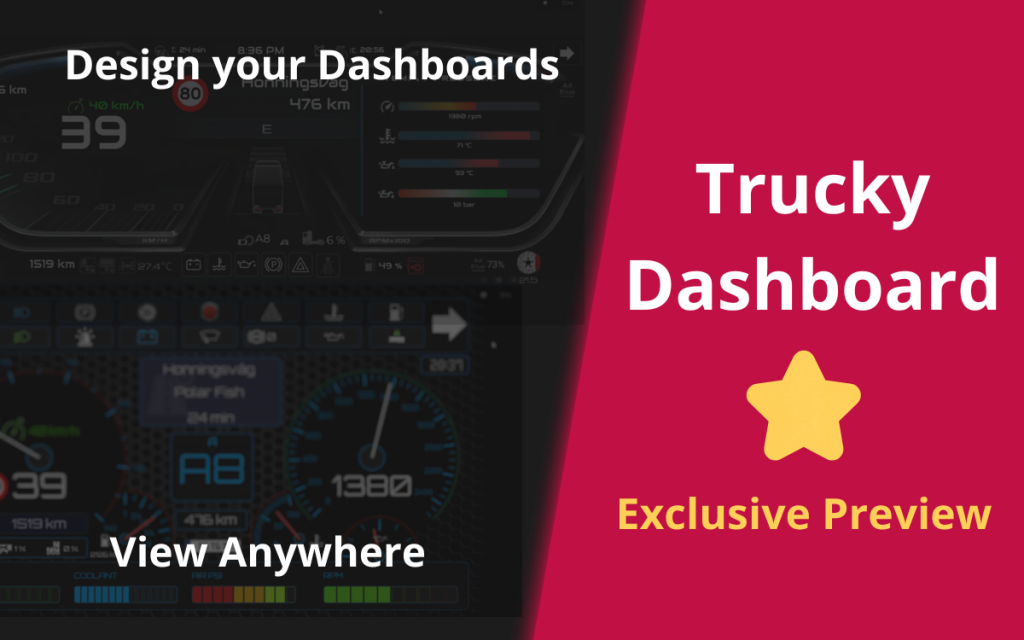
We’re excited to announce Trucky Dashboard, a powerful new feature built entirely from scratch that lets you design custom, interactive dashboards and use them across all your devices. This exclusive feature is now available for our Angel Patrons on the Public Beta channel.
A Complete Dashboard System
Trucky Dashboard consists of three integrated components: the Dashboard Designer for creating layouts, the Dashboard Viewer for desktop and Mobile Apps for iOS and Android. Design once, view everywhere—your dashboards sync automatically across all devices.
Intuitive Design Tools
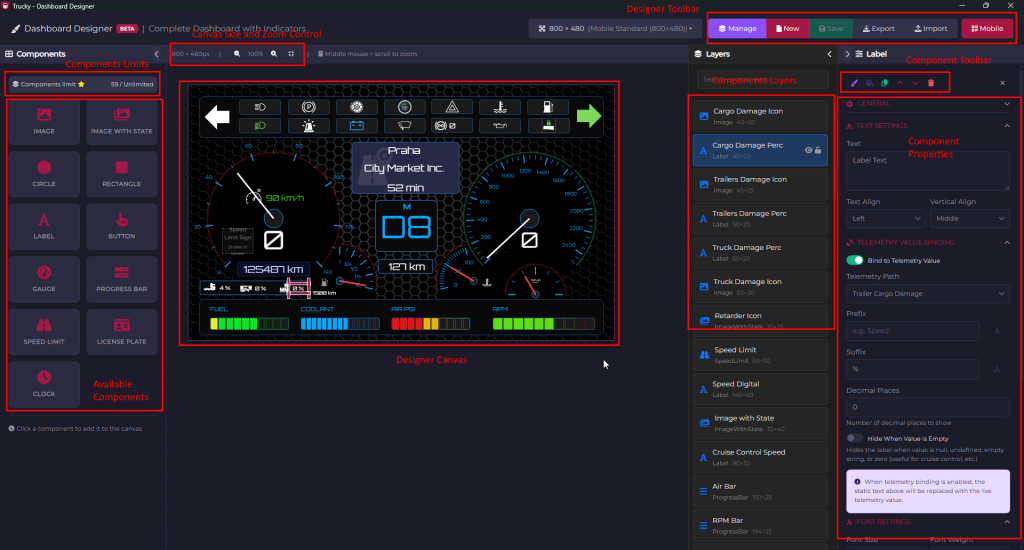
The Designer features a WYSIWYG editor where you build dashboards using four component types. Gauges create circular or semicircular displays for speed and RPM. Progress Bars work as compact indicators for fuel, damage, or pressure. Labels display static or dynamic text pulled from live telemetry. Images react to game state, perfect for indicator lights and warnings.
Each component offers extensive configuration options—bind to telemetry data for real-time updates, customize colors and sizes, set conditional visibility, and position precisely. We’ve included over 50 premium SVG icons for common elements like fuel gauges and warning lights, plus you can upload custom images.
View Anywhere
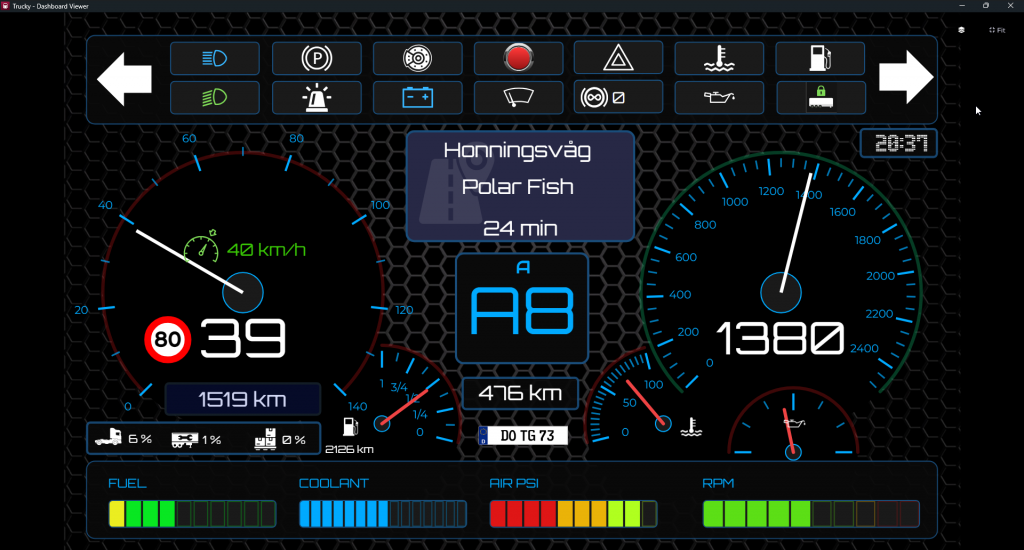
The Viewer displays your dashboards in real-time on desktop with always-on-top mode and fullscreen support. Changes sync automatically from the Designer with no manual refreshing.
The mobile experience transforms your phone or tablet into a professional telemetry display with wireless connectivity and minimal latency. Perfect for mounting as secondary screens in sim rigs or quick glances without alt-tabbing.
Endless Possibilities
Angel Patrons are already creating realistic dashboard replicas, minimalist racing displays, custom streamer layouts, and accessibility-focused designs. Multi-monitor setups can spread telemetry strategically for immersive experiences.
Creating your first dashboard is simple: open the Designer, add and configure components, bind them to telemetry, and save. Your dashboard works immediately in the Viewer and mobile apps, updating live as you drive.
What’s Next
This is just the beginning. We’re actively gathering feedback from Angel Patrons and already working on additional components, more icons, and community features for sharing dashboards. Your input during this exclusive beta phase directly shapes the feature’s future.
Ready to start? Check out our comprehensive Trucky Dashboard Guide for detailed instructions and inspiration.
Questions or feedback? Join our Discord community or reach out through support channels—we’d love to hear from you!